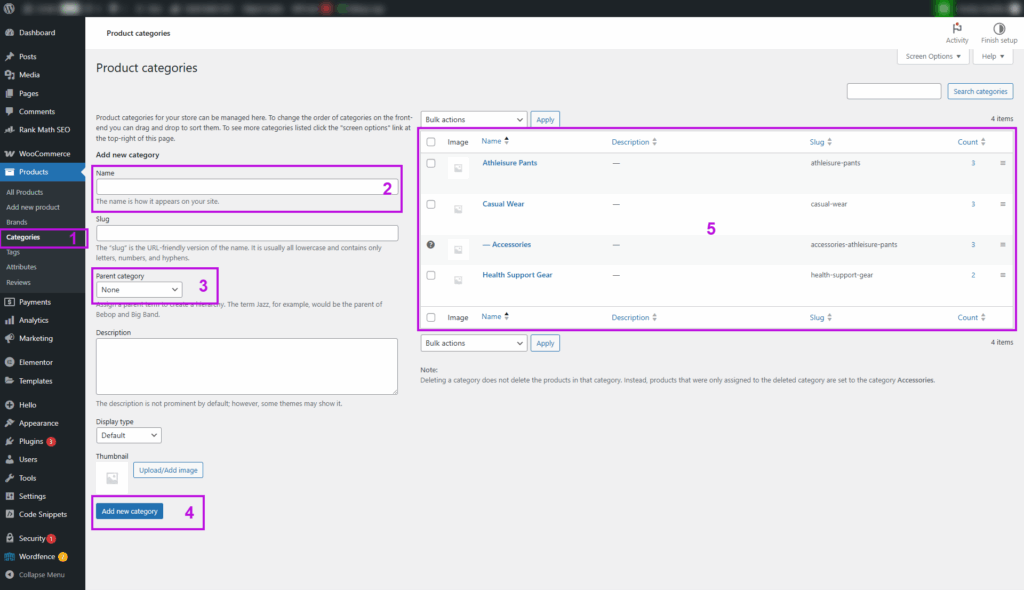
- In your WordPress dashboard, browse to Products >> Categories,
- Fill in your category name.
- If it’s a top / parent category, let it be None (by default). If the category is a subcategory, select the parent category from the drop down.
- Click the button to save.
- The newly added category will be shown inside this table.